
Turn Clutter into Clarity: Build Your Paperless Home Hub

Today we dive into creating a paperless home filing system that finally tames mail, receipts, school forms, and medical records. With practical tools, gentle routines, and smart safeguards, you can replace teetering stacks with calm, searchable order, saving time, money, and patience every single week. Join us and share your first small win in the comments today.

Start with a Vision and an Audit

Before any scanner hums, take a breath and assess what truly flows through your home. Count the types of papers, note where they appear, and record bottlenecks. By mapping entry points and frustrations, you can design smoother paths and decide what to digitize, what to unsubscribe from, and what to discard immediately without guilt.

Identify What Truly Needs to Stay

Spread one month of incoming papers across a table and sort by function: proof, action, reference, keepsake, and junk. Notice duplicates and expired notices. Decide which categories need retention, which need reminders, and which can vanish once scanned, empowering clearer choices next time.

Set Brave, Realistic Reduction Goals

Pick courageous but achievable targets, like cutting new paper by half in three months, or processing the daily pile in under ten minutes. Goals should be visible, measurable, and forgiving, celebrating momentum while leaving room for busy weeks, travel, or unexpected life events.

Create a Scanning and Shredding Zone

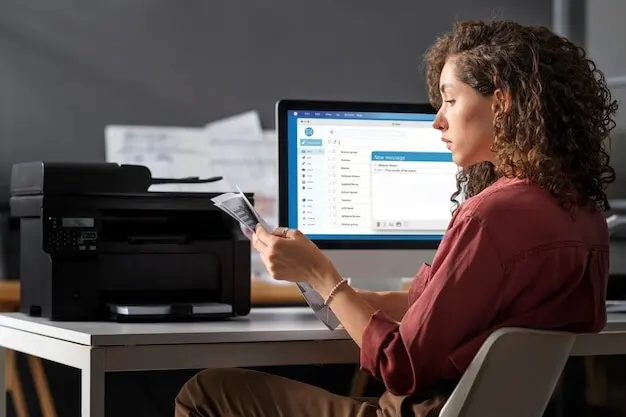
Choose a bright, uncluttered corner with a shredder, a reliable scanner, recycling, and a small tray for incoming pages. Keep cables tidy and labels friendly. When the station looks welcoming, family members use it spontaneously, turning tedious chores into quick, almost satisfying routines.

Choosing Scanners and Apps that Work Together

Technology should quietly support your habits. Compare sheet-fed versus flatbed scanners, mobile capture, and duplex speed. Evaluate apps by reliability, OCR quality, export formats, and price. Favor tools that reduce friction, integrate with cloud storage you trust, and survive years of updates without locking your data into confusing silos. Tell us which scanner or app combo works for your household in the comments, and subscribe to get fresh workflow ideas.

Pick the Right Scanner for Your Pile Size

Light households thrive on compact, sheet-fed devices that sip space yet devour receipts. Families with photos or fragile documents appreciate flatbeds with gentle lids. Check page per minute ratings, duplex capabilities, and maintenance costs, because everyday reliability beats flashy features when dinner dishes are waiting and energy is low.

OCR That Makes Every Page Instantly Searchable

Opt for apps that create PDF files with embedded, accurate text, respecting layout while enabling copy, paste, and instant search. Test a handful using messy handwriting, curved receipts, and stamps. Small accuracy gains compound over years, rescuing answers quickly when taxes, warranties, or medical claims demand receipts.

Turn Your Phone into a Reliable Capture Station

When the mailbox surprises you at breakfast, a good phone app prevents backlog. Use automatic edge detection, perspective correction, and batch capture. Name on the spot, add tags, and route to the right folder, turning random minutes into meaningful, accountable progress across busy weekdays.

Designing a Clear, Searchable Digital Structure

Folders That Mirror Real Life, Not Corporate Silos
Start with five to nine top folders that match household realities, not jargon. Under Money, include Banking, Budget, Taxes, Insurance. Under Home, keep Repairs, Utilities, Appliances, Renovations. This human map reduces hesitation and speeds filing, because decisions tighten when labels already match your mental model.

Naming Conventions That Explain Themselves

Use ISO dates like 2026-03-31, a short subject, and a counter if needed. Example: 2026-03-31 Electric Bill 001.pdf. Maintain this pattern everywhere. Alphabetical sorting then becomes chronological clarity, benefiting future searches, audits, and quick replies when a school, landlord, or clinic requests proof instantly.

Tags and Metadata for Crosscutting Context

Sometimes documents span folders, like medical reimbursements tied to travel. Add tags such as reimbursement, urgent, warranty, or kid-records. Many systems store metadata inside PDFs, so your context travels with copies, backups, and apps, preserving meaning even when structures evolve, merge, or briefly become messy during life transitions.

Security, Privacy, and Compliance at Home

Routines that Keep the System Flowing

Systems collapse without compassionate routines. Establish tiny daily moments to capture, a quick weekly sweep to file, and a monthly tidy to archive. Use timers, music, and visible checklists. Reward streaks, forgive lapses, and track wins so the process feels meaningful, not punishing. Share your favorite micro-rituals in a quick reply and join our newsletter to receive seasonal checklists that keep momentum playful and steady.

Daily Capture and a Non-Judgmental Inbox

Designate one physical tray and one digital folder as today's inbox, and let them receive without pressure. You are not behind; you are gathering. Spend five minutes scanning, starring, or discarding. Momentum builds when the entry point is friendly, obvious, and always within reach.

Weekly Review with Batch Scanning Power

Pick a consistent evening, perhaps Sunday after dinner, to clear the inbox. Use batch mode, apply naming conventions, and move items to their homes. Celebrate a small win aloud. Families mirror energy, and shared pride transforms chores into brief, almost communal rituals.

Involving the Whole Household

{{SECTION_SUBTITLE}}

Shared Rules that Fit Different Personalities

Craft agreements that respect neat freaks and free spirits alike. Keep the inbox universal, but let people choose scanning times. Provide both keyboard shortcuts and label-maker buttons. When styles coexist under a few shared promises, cooperation replaces nagging, and the system stabilizes gracefully.

Give Kids Ownership with Fun Responsibilities

Invite children to scan artwork, stamp dates, and choose folder colors. Celebrate quarterly galleries in a digital slideshow for grandparents. When kids witness their creations preserved and shared, clutter turns into pride, and they naturally model consistent capture, labeling, and considerate digital care.
Zentoveltosiranexo
Privacy Overview

This website uses cookies so that we can provide you with the best user experience possible. Cookie information is stored in your browser and performs functions such as recognising you when you return to our website and helping our team to understand which sections of the website you find most interesting and useful.